


Last checked: 28 October 2026. Prices are in USD.
Picture finishing a coaching session with that satisfying feeling that something has clicked for your client.
You close the call and open your laptop. There is a recording to organise, a slide deck missing its final exercise and a workbook called “final_v3”. Three browser tabs are waiting: Kajabi, Thinkific and Teachable.
You know how to help people. Now you need somewhere to bring that work together.
The platform will shape ordinary moments: how someone books their next session, finds a worksheet or returns to a lesson after a difficult week. It will also shape how much time you spend maintaining the business around your coaching.
At Hinova Design, we believe choosing the best course platform for coaches starts with those moments. A feature matters when it makes your programme easier to deliver or easier to use.
The quick answer
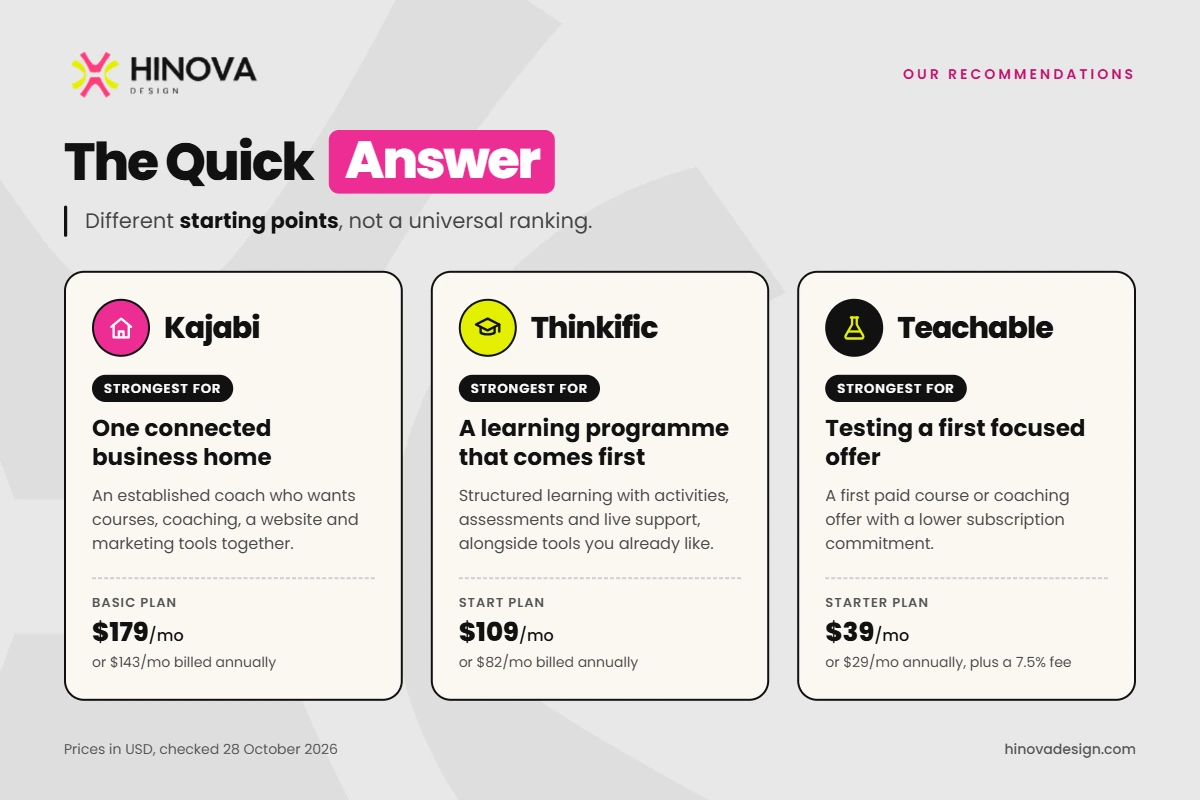
Our recommendations for Kajabi vs Thinkific vs Teachable are:
- Kajabi: strongest for an established coach who wants courses, coaching, a website and marketing tools together, with the budget to support that consolidation.
- Thinkific: strongest for a structured learning programme with activities, assessments and live support, especially if you already like your other business tools.
- Teachable: strongest for testing a first paid course or coaching offer with a lower subscription commitment, provided you account for sales fees and possible external tools.
These are different starting points, rather than a universal ranking.
Decide what your coaching business needs first
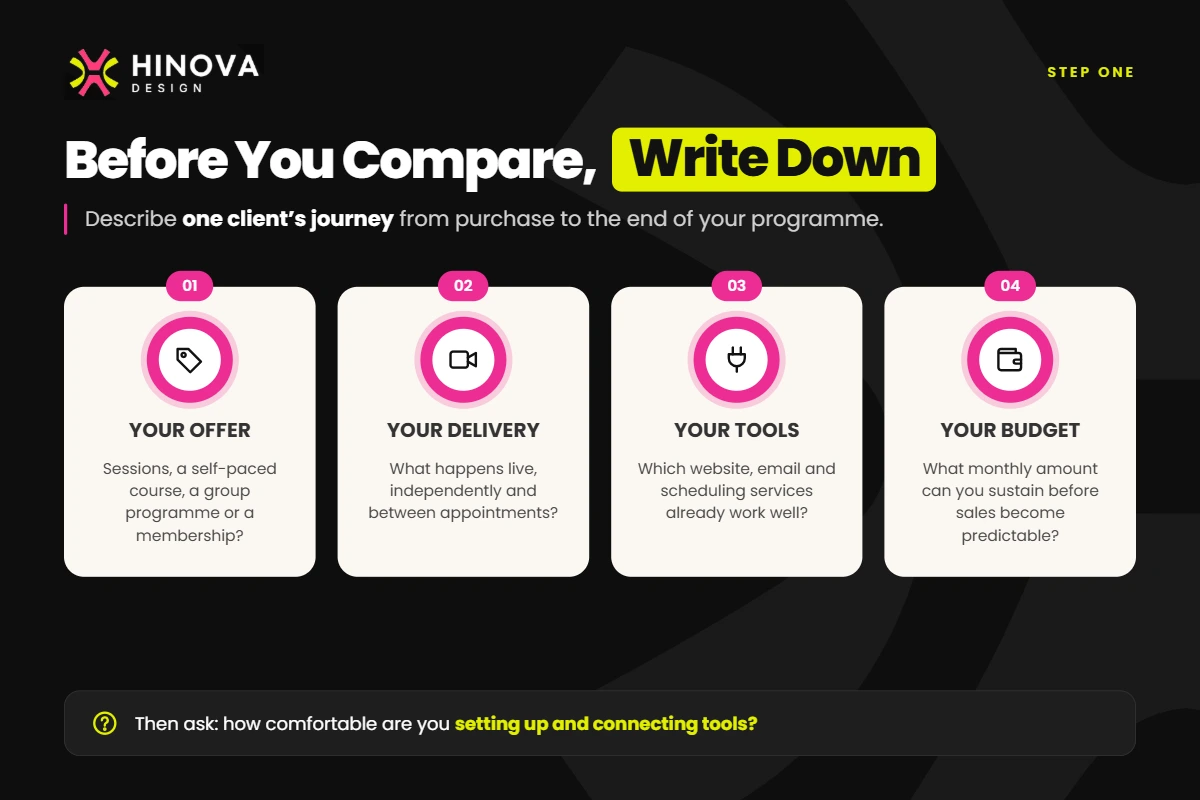
Comparing online course platforms for coaches becomes easier when you describe one client’s journey from purchase to the end of your programme.
A coach selling individual sessions may mainly need payment, booking and a place to share preparation notes. A coach building an eight-week programme may need lessons, weekly exercises, group calls and feedback on submitted work.
Write down:
- Your offer: sessions, a self-paced course, a group programme or an ongoing membership.
- Your delivery: what happens live, independently and between appointments.
- Your existing tools: which website, email and scheduling services already work well.
- Your budget: the monthly amount you can sustain before sales become predictable.
Then consider your comfort with technology. Bringing everything into one system still requires setup. Connecting several systems requires checking that access, reminders and payments behave as intended.
Kajabi when the business needs one connected home
Kajabi is our strongest recommendation when managing several business tools has become a substantial part of your week.
It brings a website, landing pages, checkout, email campaigns, courses and community into the same platform. Its native Coaching product supports individual and group programmes, with a scheduler, live video and session materials. Clients can book against your availability, and you can configure reminders. However, choosing an external scheduler such as Calendly makes that coaching product ineligible for Kajabi’s built-in live video.
For independent learning, Kajabi courses support lessons, downloadable resources, quizzes and completion certificates. Quizzes can include file uploads and short answers, so activities need not stop at multiple-choice questions. Course themes also let you adjust colours and typography around your brand.
Imagine a leadership coach offering a course, a private coaching package and a membership. Kajabi could connect the sales journey and delivery without requiring a separate system for every offer.
The compromise is the subscription and the work of configuring that connected journey. Basic costs $179 monthly, or an advertised $143 per month with annual billing, with five products and 2,500 contacts. Growth is $249 monthly, or $199 per month with annual billing, with 50 products and 25,000 contacts.
Basic includes simple automations; conditional rules require Growth or Pro. For example, sending different follow-up actions according to a form response may require that upgrade.
Course access is available through Kajabi’s app. Standard coaching access uses a mobile browser; do not assume every part of your programme appears in the shared app. A branded app costs $199 monthly on Basic and Growth, and is included with Pro.
Thinkific when the learning programme comes first
Thinkific is our strongest fit when your offer has a learning sequence: clients understand an idea, practise it and bring their experience to the next session.
The current Start plan includes unlimited courses, assignments, quizzes, certificates, memberships and one community. That makes it a practical foundation for combining independent study with ongoing coaching. Submitted assignments give you something specific to discuss when you meet again.
Thinkific also has Coaching & Webinars products for individual and group events. The distinction is in delivery: the meeting happens through an external service, such as Zoom. Booking can use a Calendly, Google Calendar or other scheduling link. Your chosen booking service handles the availability and associated booking workflow.
Imagine a career coach whose clients watch a short interview lesson, complete a practice assignment and attend a weekly group clinic. Thinkific can organise the learning; the external meeting service delivers the clinic.
It also offers a site builder, sales pages and checkout. And yes, Thinkific now has native email automation. Its documented sales flows have predefined structures, however, so test your intended sequence before replacing an existing email service.
Start costs $109 monthly, or an advertised $82 per month with annual billing. Grow costs $219 monthly, or $164 per month with annual billing, and adds branding removal, student engagement reports and bulk student email.
Unlimited courses does not mean unlimited capacity everywhere: Start has 200 GB of monthly course video bandwidth. A branded mobile app is a $199 monthly add-on. For a small launch, test the phone-browser experience before adding that expense.
Teachable when you want to test a focused offer
Teachable offers the lowest subscription entry point of these three platforms, making it worth considering when you want to sell one clear programme and learn from the response.
Its course tools include downloadable resources, quizzes, short-answer assessments and progress reports. Its native coaching workflow is organised around individual client milestones: a meeting, a task, a message or a file exchange. You can add booking links and meeting links, while the external calendar and video service handle those functions.
Imagine a life coach selling a short reflection course alongside a three-session package. Milestones could show each client their next activity and appointment. For a group programme, plan the shared course and external live meetings separately; the documented coaching workflow centres on individual relationships.
Starter costs $39 monthly, or $29 per month with annual billing, for five published products, plus a 7.5% transaction fee. Builder costs $89 monthly, or $69 per month with annual billing, for ten products and 0% platform transaction fees on Teachable Payments. Processing remains additional.
Two restrictions deserve attention. Certificates and branding removal require Growth: $189 monthly, or $139 per month with annual billing. Also, Teachable’s standalone community is in maintenance mode and unavailable to new schools. Memberships remain available, but a membership is not automatically a discussion community.
Custom student emails start on Builder; more advanced campaigns generally call for an external email service. Teachable’s iOS app supports courses but excludes coaching products, so test that handoff with your client journey in mind.
A coaching platform comparison at a glance
The entry plans below provide a starting point. Annual figures are advertised monthly equivalents, charged through an annual subscription.
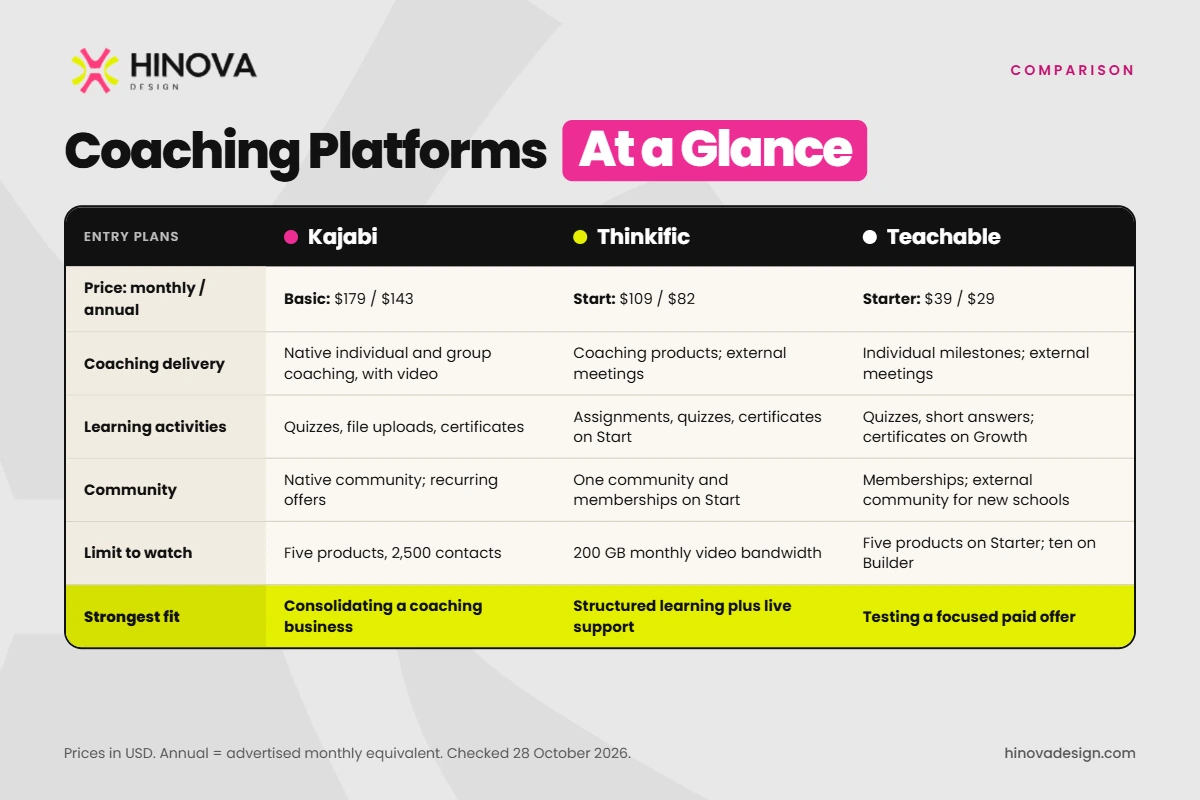
| Criterion | Kajabi | Thinkific | Teachable |
|---|---|---|---|
| Entry plan: monthly / annual equivalent | Basic: $179 / $143 | Start: $109 / $82 | Starter: $39 / $29 |
| Coaching delivery | Native individual/group coaching and video | Coaching products; external meetings | Individual milestones; external meetings |
| Learning activities | Quizzes, file uploads, certificates | Assignments, quizzes, certificates on Start | Quizzes, short answers; certificates on Growth |
| Marketing | Website, checkout, email campaigns | Website, checkout, predefined email flows | Sales pages, checkout; campaign integrations |
| Community and memberships | Native community; recurring offers | One community and memberships on Start | Memberships; external community for new schools |
| Growth limit to watch | Basic: five products, 2,500 contacts | Start: 200 GB monthly video bandwidth | Starter: five products; Builder: ten |
| Branding/mobile distinction | Shared course app; branded app costs extra below Pro | Branding removal on Grow; branded app extra | Branding removal on Growth; iOS coaching excluded |
| Strongest fit | Consolidating a coaching business | Structured learning plus live support | Testing a focused paid offer |
What the subscription leaves out
Build your budget from the plan you actually need, plus booking, video, email or community subscriptions you will retain.
Then separate platform fees from payment processing. Teachable Starter’s 7.5% fee means $75 on $1,000 of sales, before processing. At monthly billing, Builder costs $50 more; its fee saving reaches that difference at roughly $667 in monthly sales, assuming eligible Teachable Payments transactions and otherwise equal charges.
Kajabi Basic lists a 2% surcharge for eligible third-party processors where Kajabi Payments is available; PayPal is excluded. Thinkific Start charges 2% on Stripe transactions in its specified countries. Using their native payment services avoids those particular surcharges.
For standard US domestic card payments, Kajabi Basic, Thinkific Payments and Teachable list base processing of 2.9% plus $0.30. Thinkific Payments adds 0.7% for subscriptions and payment plans. On Teachable’s newer Payments system, Standard adds 0.7% for recurring transactions and 0.5% where tax is assessed; Global instead adds 2.8% on all transactions. International cards and currency conversion can change costs further. Check the Kajabi and Thinkific fee details for your setup.
International readers should check seller eligibility, payment methods and payouts in their country before committing annually. Budget time for setup and administration, too.
Which platform fits your situation
You are testing your first paid programme. Start with Teachable if you have a focused offer and can work with external booking or email tools. Its lower fixed cost gives you room to test demand. Review the Starter fee as sales grow; Builder may quickly become more economical.
You are building a structured course alongside live support. Choose Thinkific Start when assignments, learning activities and a shared programme space are central. The main compromise is maintaining external scheduling and video tools. If detailed engagement reporting or branding removal matters immediately, budget for Grow.
You have established offers and want fewer disconnected tools. Choose Kajabi when replacing several subscriptions and connecting marketing to delivery justifies its price. Map your products, contacts and automation needs before selecting Basic or Growth.
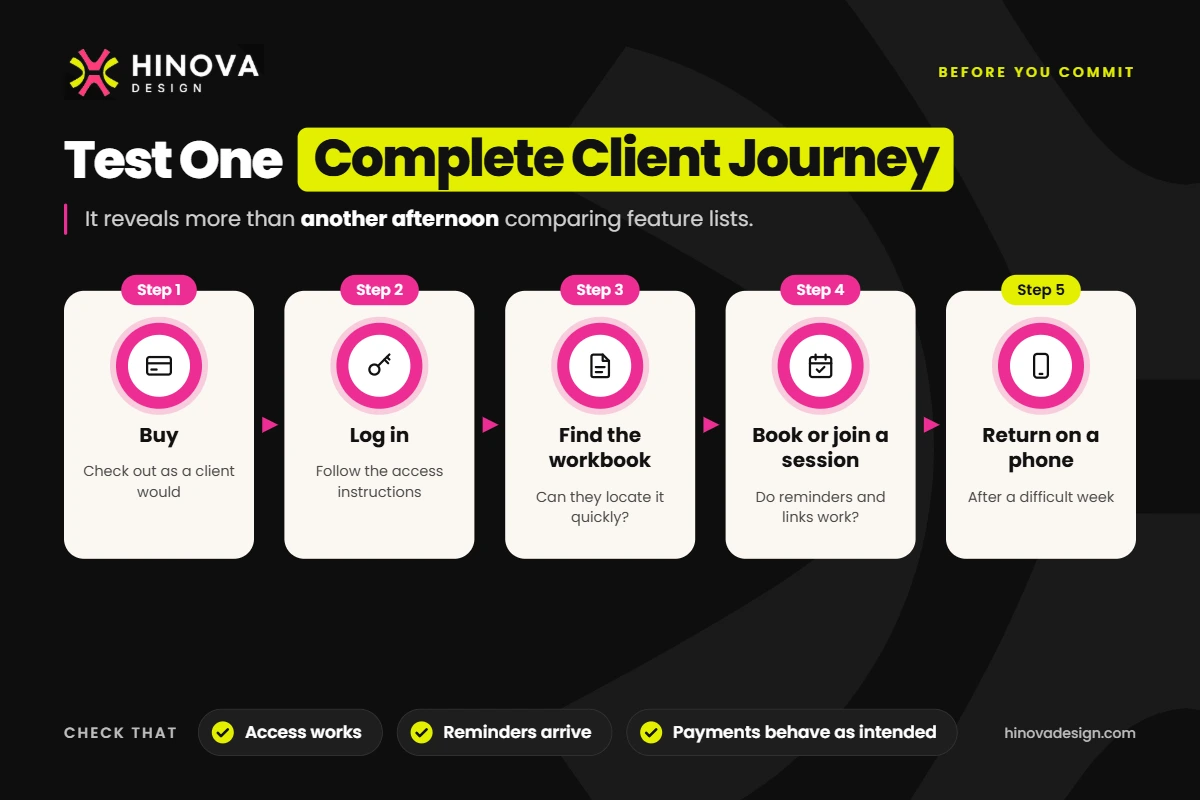
When choosing a platform for a coaching business, test one complete journey: buy, log in, find the workbook, book or join a session, then return on a phone. That reveals more than another afternoon comparing feature lists.
The learning design still needs your attention
Whichever platform you choose, uploading everything in your folder will not automatically create a clear programme.
Clients need to understand where to start, what to do next and how an activity relates to the change they are working towards. A concise lesson followed by one useful exercise can be easier to act on than a long recording with several disconnected downloads.
At Hinova Design, we bring course planning, course development, resource design and platform setup together. That might mean organising your lesson sequence, turning slides into manageable activities, designing a branded workbook or fillable PDF, and checking navigation and access before launch.
The aim is a connected experience: the lesson introduces an idea, the worksheet supports practice and the next coaching session gives that practice somewhere to go.
Those three browser tabs can close once you have a clear offer and a tested client journey.
Helpful answers
Frequently asked questions
Can I change platforms later?
Yes, but plan the move before cancelling anything. Keep your original videos, lesson text and editable resources. Check how subscriptions, client accounts and progress records will be handled, and test the new access instructions with a small group first.
Do I need my own branded app?
Usually, it is a later decision. First test the actual lessons, worksheets and session links on your clients’ phones. A branded app earns its place when it supports a clear use case and a sustainable budget. Browser access may already cover your programme’s needs.